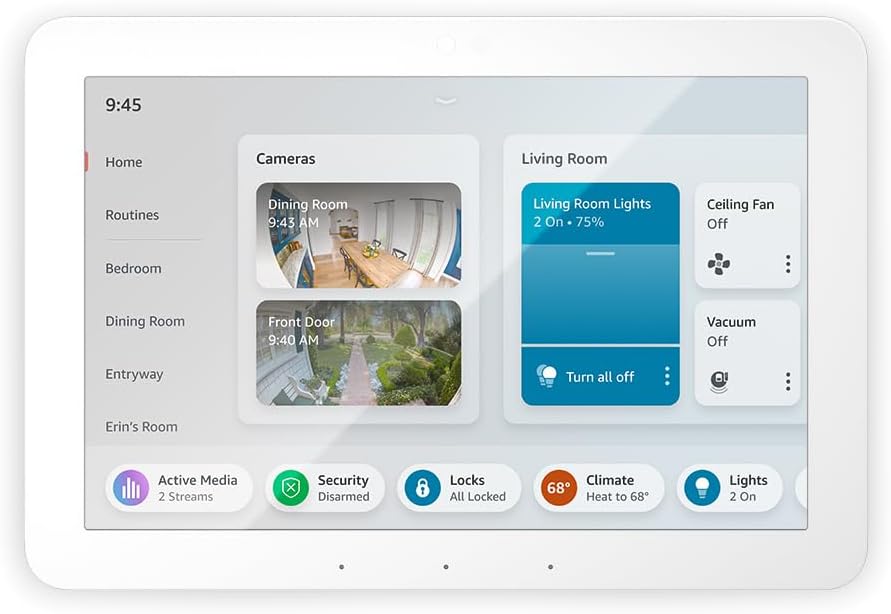
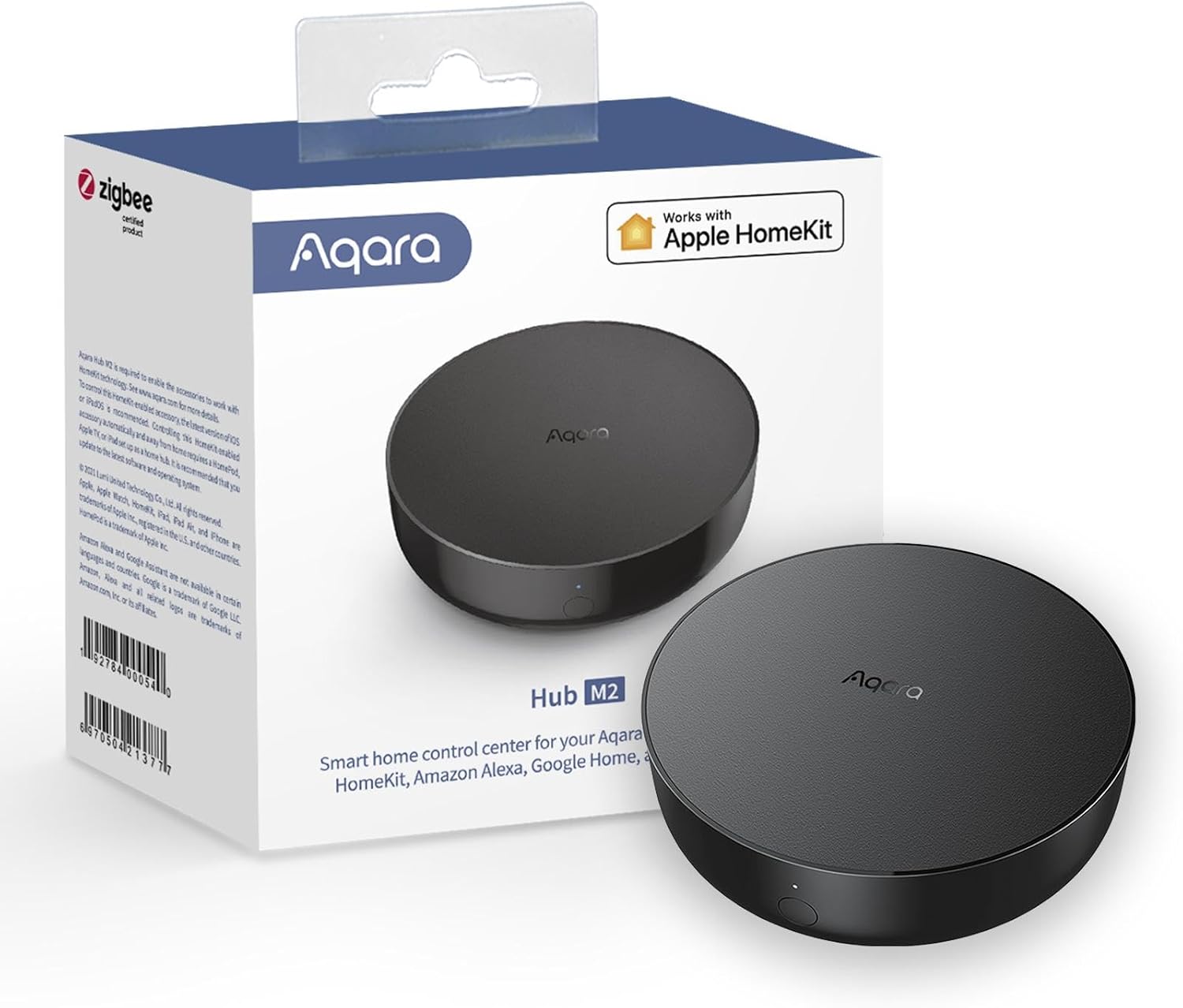
The Amazon Echo Hub is the best smart home hub for most people. It gives you a wall-mounted touchscreen that controls your lights, locks, cameras, and thermostat — no phone fumbling required. It connects directly to Zigbee, Thread, and Matter devices, so it replaces the pile of separate bridge hardware most smart homes accumulate. If you use Apple HomeKit or want an affordable hub for sensors, the Aqara Hub M2 at $40 is the budget pick.
Some links on this page are affiliate links. If you buy through them, we earn a small commission at no extra cost to you.
Do You Actually Need a Smart Home Hub?
It depends on what you already own and how far you want to go.
If your smart home is just a few WiFi bulbs and a smart plug, you probably don't need a hub. Those devices connect directly to your router and your phone controls them through their own apps.
You start needing a hub when:
- You have devices from multiple brands and want them in one app
- You want devices that use Zigbee, Z-Wave, or Thread (which need a bridge to talk to your WiFi network)
- You want automation rules like "when the front door opens after sunset, turn on the hallway light"
- You want a physical control panel on the wall instead of always reaching for your phone
The hub becomes the translator. It takes all your different devices speaking different wireless languages and puts them in one place where they can understand each other.
What to Look For in a Smart Home Hub
Protocol Support (Zigbee, Z-Wave, Thread, Matter)
Smart home devices communicate using different wireless protocols. WiFi devices connect directly to your router. But many of the best (and cheapest) smart home sensors, switches, and locks use Zigbee, Z-Wave, or Thread — protocols designed for low power consumption and reliable connections.
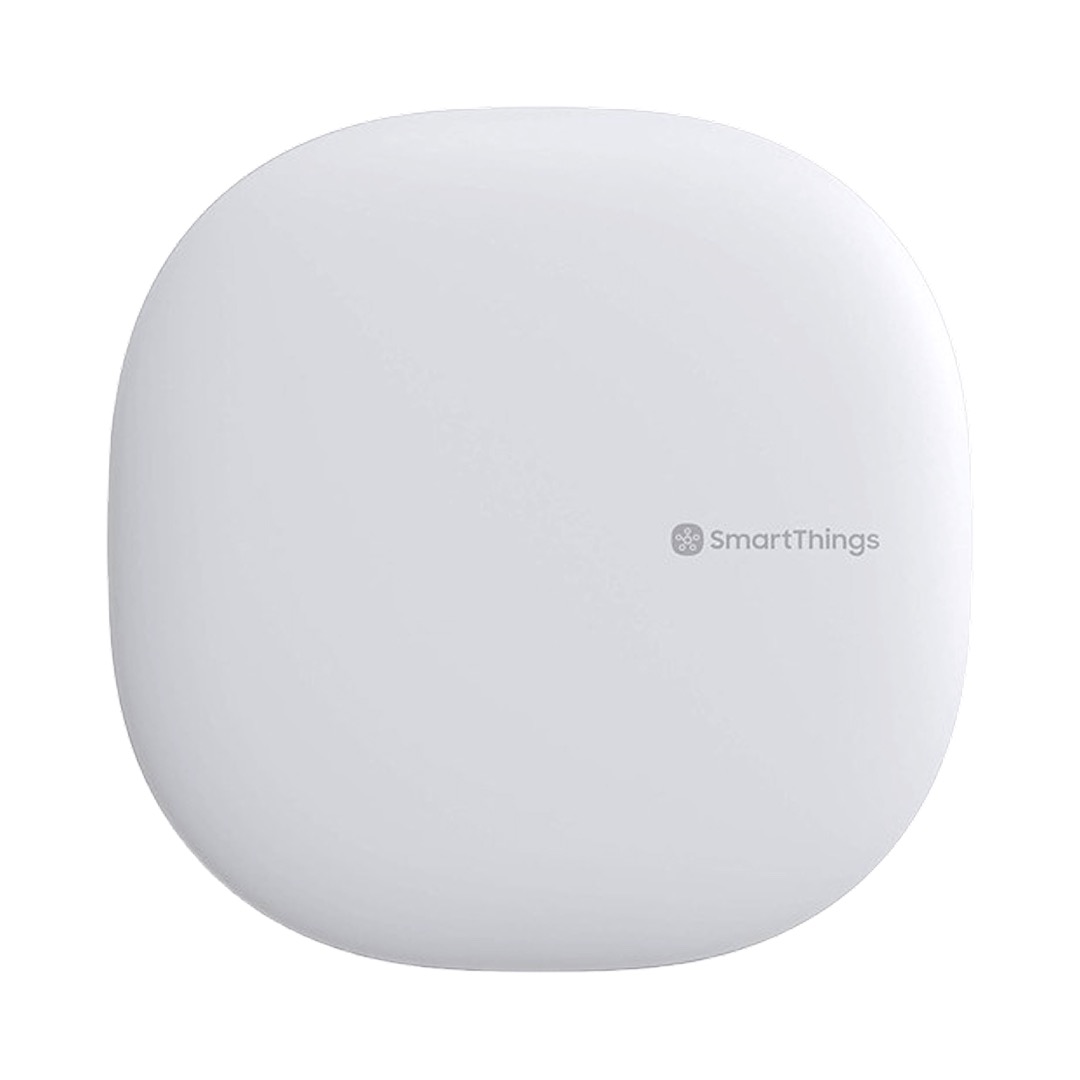
A good hub speaks multiple protocols so you're not limited to one brand's ecosystem. The Echo Hub supports Zigbee, Thread, and Matter. The SmartThings Hub covers Zigbee, Z-Wave, and WiFi. The Aqara Hub M2 speaks Zigbee and has a built-in IR blaster for controlling older devices.
Matter is the new universal protocol backed by Apple, Google, Amazon, and Samsung. It's designed to make all this protocol confusion irrelevant — eventually. In 2026, Matter device support is growing but not universal. Buying a hub that supports Matter gives you forward compatibility without forcing you to wait for the ecosystem to mature.
Voice Assistant Compatibility
Most people pick their hub based on which voice assistant they already use. Alexa users naturally gravitate toward the Echo Hub. Google Home users might prefer a Nest Hub (though it's more of a display than a smart home hub). Apple HomeKit users should look at the Aqara Hub M2, which is one of the few affordable hubs with native HomeKit support.
The SmartThings Hub is the platform-agnostic option. It works with Alexa, Google, and Samsung's own ecosystem. If you don't want to be locked into one voice assistant, it's the most flexible choice.
Automation Capabilities
The real value of a hub isn't controlling devices one at a time — it's setting up rules that make devices work together automatically.
Basic automations: turn off all lights at midnight. Lock the door when you leave. Turn on the porch light at sunset.
Advanced automations: when the motion sensor in the hallway detects movement between 11 PM and 6 AM, turn on the hallway light at 10% brightness for 90 seconds, then turn it off. When the door sensor detects the front door opening and nobody is home, send a camera snapshot to your phone.
The Echo Hub handles automations through Alexa Routines, which are easy to set up but have limitations with complex conditional logic. SmartThings has the most powerful automation engine of the three, capable of complex multi-condition rules. The Aqara Hub M2 handles basic automations well and integrates with Apple Home Automations for HomeKit users.
Physical Interface
The Echo Hub is the only option here with a built-in touchscreen. That means you can mount it on the wall and tap to control devices without pulling out your phone or shouting a voice command. For shared spaces like kitchens and living rooms, having a physical control panel is genuinely useful — especially for household members who don't want to learn voice commands or download apps.
The SmartThings Hub and Aqara Hub M2 are headless devices (small boxes that plug in and stay hidden). You control everything through the phone app or voice. This is fine for most people, but you miss the at-a-glance dashboard that the Echo Hub provides.
Our Picks for the Best Smart Home Hubs of 2026
1. Amazon Echo Hub: Best Overall
Price: $150 | Rating: 4.3/5 (6,200+ reviews) | Protocols: Zigbee, Thread, Matter | Assistant: Alexa
The Echo Hub is a wall-mounted 8-inch touchscreen that shows all your devices at a glance. Tap to control lights, view camera feeds, lock doors, or adjust the thermostat. It connects directly to Zigbee, Thread, and Matter devices, which means many smart home gadgets pair directly to the hub without needing their own separate bridge.
Alexa Routines let you build automations — "goodnight" turns off all lights, locks the doors, and sets the thermostat. The touchscreen dashboard organizes devices by room and type, and the widgets show camera feeds, weather, and device status without opening an app.
The main limitation is ecosystem lock-in. This is Alexa-only. If you use Google Home or Apple HomeKit for anything, the Echo Hub can't control those devices. It also doesn't have a built-in speaker or camera, so it won't play music or handle video calls. It's a dedicated smart home control panel, and it does that job well.
List price is $179, but it regularly goes on sale for $130-150. Wait for a sale if you can.
Who it's for: Alexa households wanting a central control panel. Anyone who prefers tapping a screen over shouting voice commands. Smart home builders investing in Matter for future compatibility.
The trade-off: Alexa-only, no Google or HomeKit support. No speaker or camera. Needs to be plugged into power (no battery option), which limits wall-mount locations to spots near outlets.
2. Samsung SmartThings Hub: Most Flexible
Price: ~$70 (Samsung) / ~$35 (Aeotec version) | Rating: 4.0/5 (4,500+ reviews) | Protocols: Zigbee, Z-Wave, WiFi | Assistant: Alexa, Google, Samsung
The SmartThings Hub connects more device types than almost any other hub on the market. It speaks Zigbee, Z-Wave, and WiFi, which covers the vast majority of smart home devices regardless of brand. It works with Alexa and Google, so you're not locked into one voice platform.
The automation engine is the most powerful of our three picks. You can create complex, multi-condition rules that would be impossible in Alexa Routines. If-this-then-that logic, time-based triggers, device-state conditions — SmartThings handles it all.
The important caveat: Samsung stopped manufacturing this hub. The identical Aeotec Smart Home Hub (same hardware, same SmartThings software) is available for around $35. The software continues to receive updates, so it's not a dead product — just a confusing one from a branding perspective. If you're buying new, get the Aeotec version.
Setup is the weakest point. The SmartThings app has been redesigned multiple times, and the onboarding experience isn't as polished as Amazon's or Apple's. Automations are cloud-dependent, so they can lag when your internet hiccups. Power users will push through the initial friction. Casual users might find it frustrating.
Who it's for: Power users who want maximum device compatibility and complex automations. Households with mixed-brand devices across multiple protocols. Anyone who doesn't want to be locked into one voice assistant.
The trade-off: Confusing product situation (Samsung vs. Aeotec). Setup is not beginner-friendly. Cloud-dependent automations can lag. No touchscreen, no display.
3. Aqara Hub M2: Best Budget Pick
Price: $40 | Rating: 4.3/5 (3,200+ reviews) | Protocols: Zigbee, IR | Assistant: Alexa, Google, Apple HomeKit, Siri
The Aqara Hub M2 is the cheapest way to add real sensors to your smart home, and it's the only affordable hub on this list with native Apple HomeKit support. For $40, you get a Zigbee hub with a bonus IR blaster that learns the signals from your existing remote controls.
That IR blaster is easy to overlook, but it's surprisingly useful. Any device you currently control with an IR remote — your TV, window AC unit, ceiling fan, or sound bar — becomes controllable from your phone and by voice. The same trick that makes the SwitchBot Hub Mini popular for renters, but built into the hub itself.
The Aqara ecosystem of sensors is the real selling point. Door and window sensors, motion detectors, temperature and humidity monitors, water leak sensors — all in the $15-20 range. For HomeKit users in particular, Aqara sensors are the cheapest way to add real sensor coverage to your home without spending $40-60 per sensor from other brands.
Who it's for: Apple HomeKit users who want affordable sensors. Budget-conscious smart home beginners. Anyone who wants to add motion, door, and temperature sensors without spending a fortune.
The trade-off: Primarily works with Aqara-brand sensors (not a universal hub for all Zigbee brands). No Thread or Matter support on this model (the newer M3 adds those). Only connects to 2.4 GHz WiFi, which can cause pairing issues on some routers.
Comparison at a Glance
| Feature | Echo Hub | SmartThings Hub | Aqara Hub M2 | |---|---|---|---| | Price | $150 (often $130) | ~$35 (Aeotec) | $40 | | Display | 8" touchscreen | None | None | | Zigbee | Yes | Yes | Yes | | Z-Wave | No | Yes | No | | Thread/Matter | Yes | Coming | No (M3 model) | | IR blaster | No | No | Yes | | HomeKit | No | No | Yes | | Alexa | Yes (native) | Yes | Yes | | Google | No | Yes | Yes | | Automations | Alexa Routines | Advanced rules | Basic + HomeKit |
Frequently Asked Questions
Do I need a hub if I only use WiFi devices?
Technically, no. WiFi smart plugs, bulbs, and cameras connect directly to your router. But a hub still adds value by putting all your devices in one app and enabling automations between them. Without a hub, you end up with five different apps for five different brands.
What about Apple HomePod as a hub?
The HomePod Mini acts as a home hub for HomeKit and Matter devices. It's a solid option if you're all-in on Apple, but it only works with HomeKit/Matter — no Zigbee, no Z-Wave, no IR. The Aqara Hub M2 complements a HomePod by adding Zigbee sensor support that the HomePod can't provide on its own.
Can I use multiple hubs together?
Yes, and many smart home enthusiasts do. A common setup is an Echo Hub for Alexa control and display, plus an Aqara Hub for affordable Zigbee sensors. As long as the hubs expose their devices to the same ecosystem (like Alexa or HomeKit), the devices work together even though they're connected through different hardware.
What's Matter, and should I care?
Matter is a new universal smart home protocol backed by Apple, Google, Amazon, and Samsung. The promise is that any Matter device works with any Matter controller, regardless of brand. In 2026, Matter support is growing but not universal. If you're buying a new hub, getting one with Matter support (like the Echo Hub) means you're ready for the future without giving up anything today.
Which hub is best for renters?
All three are renter-safe — they plug into a standard outlet and don't require any permanent installation. The Echo Hub can be wall-mounted but also sits on a stand. The SmartThings and Aqara hubs are small enough to tuck on a shelf. For a complete renter-friendly setup, see our smart home for renters guide.
Make It Easy: Which Hub Should You Buy?
Alexa household, want a touchscreen control panel: Get the Amazon Echo Hub. It's the best physical smart home interface available. Wait for a sale if you can — it drops to $130 regularly.
Mixed devices, want maximum compatibility: The SmartThings Hub (Aeotec version) at ~$35 connects to everything. Setup takes patience, but the automation engine is the most powerful of the three.
Apple HomeKit user, want affordable sensors: The Aqara Hub M2 at $40 is the entry point. Add $15-20 sensors for doors, motion, and temperature. The IR blaster is a bonus that makes your existing remotes smart.
Related Reading
Your smart home hub is the brain, but it needs a reliable network to run on. Our mesh WiFi guide covers systems built for homes with 20+ connected devices. If you're building out your security setup alongside your hub, see our no-subscription camera guide. And renters can find a full apartment-friendly automation stack in our renter's smart home guide.