You can automate most of your apartment without picking up a drill, asking your landlord for permission, or leaving anything behind when your lease is up. The trick is knowing which products are actually designed for that situation and which ones just claim to be.
Some of the links below are affiliate links, which means we may earn a small commission if you buy through them. It doesn't cost you anything extra, and it helps keep the site running.
The Renter Problem
Renters live under a specific set of constraints that most smart home guides ignore. You can't swap out your thermostat. You can't hardwire a doorbell camera. You probably can't even change a light switch without getting into a conversation with your property manager that you'd rather not have.
And everything you install has to come back out at move-out. That means no drywall anchors for camera mounts, no rewired outlets, and definitely no holes drilled through the front door. Your security deposit is on the line, and the math on a $200 smart lock stops working if it costs you $500 in deposit deductions.
The good news: the best smart home devices in 2026 were designed with exactly this in mind. Adhesive mounts, battery power, Wi-Fi connectivity, and plug-and-play setup. The products below all share one thing in common. They go with you when you move.
What to Look For (The Renter Checklist)
Before you buy anything, run it through these four questions:
Does it require a hub? Some devices need a central hub plugged into your router. That's usually fine (it's just another small box), but it means one more thing to set up and one more thing that can go wrong. The best renter-friendly products connect directly to Wi-Fi.
Is it battery-powered or plug-in? Battery-powered devices go anywhere. Plug-in devices go wherever there's an outlet. Hardwired devices (the ones that tap into your home's electrical system) are a hard no for renters.
Is the install fully reversible? Adhesive mounts that peel off cleanly are fine. Screws into door frames are fine if they leave tiny holes you can fill with spackle. Anything that modifies the structure of the unit is off-limits.
Will it survive a move? Some products are built to be installed once and forgotten. You want the ones that are built to be removed, packed, and reinstalled at your next place. Check reviews for how people handled moving with the product.
Smart Plugs: Start Here
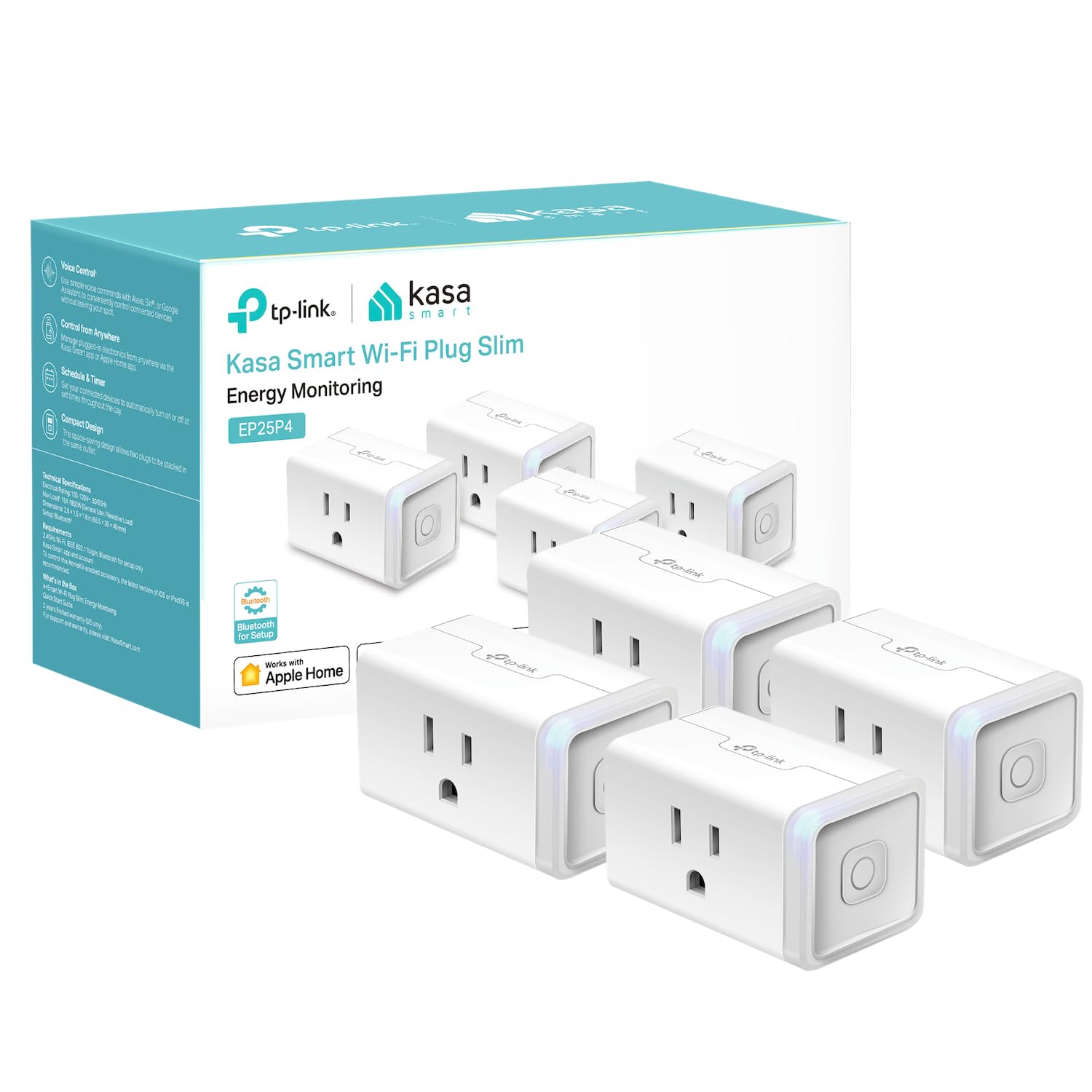
Kasa Smart Plug EP25 (4-Pack), $30
The pick. Four plugs for $30 (about $8 each), compatible with Alexa, Google Home, Apple HomeKit, and SmartThings. That's the widest voice assistant compatibility at this price point, which matters because you don't want to buy a pack of plugs and then find out they don't work with the speaker you already own.
Each plug has a slim profile that lets you stack two on a standard duplex outlet without blocking either socket. That's a detail most cheap plugs get wrong. They also include built-in energy monitoring, so you can see exactly how much power your space heater or window AC is drawing. No hub required. They connect directly to your 2.4 GHz Wi-Fi.
The one setup note: if your router runs a combined 2.4/5 GHz network, you may need to temporarily separate them during pairing. The plugs only see 2.4 GHz, and dual-band routers can confuse the setup process. Once paired, they stay connected without issues.
What to automate first: a lamp on a schedule (so your apartment looks occupied when you're not home), a fan that turns off at midnight, or a coffee maker that starts when your morning alarm goes off.
Smart Lighting: The Visible Upgrade
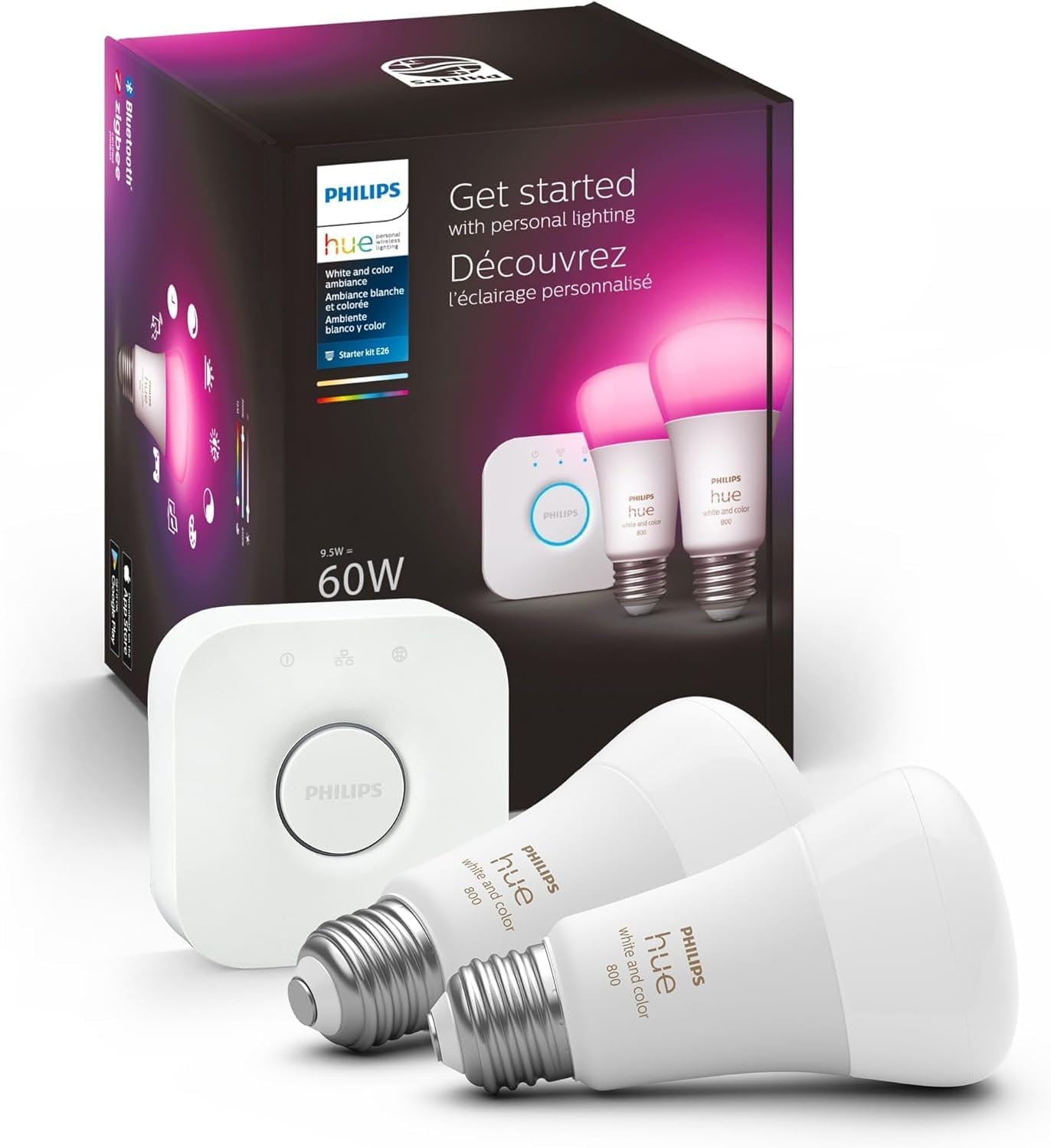
Philips Hue Starter Kit, $90
Two color-changing smart bulbs and the Hue Bridge hub for $90. The bulbs screw into any standard E26 lamp socket (so, basically any lamp you already own), and the Bridge plugs into your router with an Ethernet cable. Nothing permanent, nothing modified, everything goes with you.
The Hue system supports 16 million colors and tunable white temperature, which sounds like overkill until you set up a warm reading scene and a bright focus scene and realize you're never going back to a single-brightness lamp. The Bridge supports up to 50 devices, so you can expand over time without hitting a wall.
It works natively with Alexa, Google Home, Apple HomeKit, and SmartThings. For HomeKit users in particular, Hue is the most reliable and polished smart lighting experience available.
The catch: cost per bulb. The starter kit is $90 for two bulbs plus the Bridge, which is reasonable. But each additional Hue bulb runs $20 to $30, while alternatives from Wyze or Sengled cost $8 to $12. If you want color bulbs in every room, the budget adds up fast. Start with two rooms and expand from there.
One thing that trips everyone up: the physical light switch needs to stay in the "on" position for the smart functionality to work. If someone flips the switch off, the bulb loses power and goes offline. This is the number one complaint in smart lighting, and the solution is a $5 switch cover that prevents anyone from toggling it.
Smart Locks: Keyless Entry Without Landlord Drama
Two excellent options here, and which one you pick depends on whether you want the cheapest path or the most invisible install.
SwitchBot Lock Pro, $119
The SwitchBot Lock Pro sticks over your existing deadbolt with adhesive. No drilling, no replacing hardware, no landlord conversation. It gives you phone-based keyless entry and auto-locks when you leave. When you move out, peel it off and your door is back to stock.
It works with Alexa, Google, and Apple Watch, but only if you add the SwitchBot Hub Mini ($39, covered below). Without the hub, you get Bluetooth-only control, which means you have to be within about 30 feet. With the hub, you get remote access from anywhere and full voice control. Total cost for the complete setup: about $160.
What to know: it sticks out about 3.5 inches from the door on the interior side, so it's noticeable. Batteries last 6 to 9 months. Reviewers report it works quietly and reliably, and the adhesive removes cleanly.
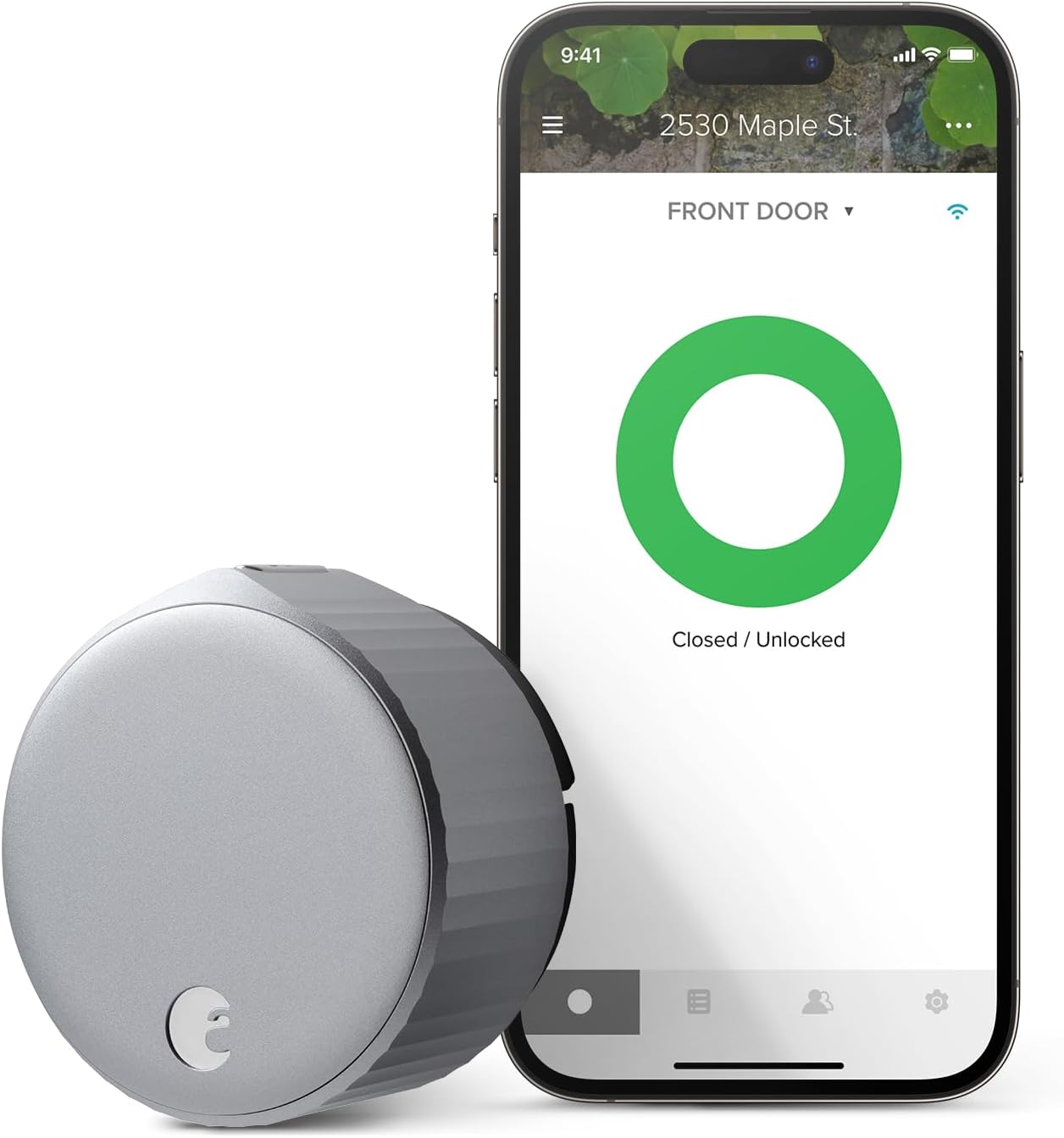
August Wi-Fi Smart Lock, $180
The August installs entirely on the interior side of your door over your existing deadbolt. From the outside, the door looks completely unchanged. Your landlord will never know it's there, and your existing keys still work from the outside.
Built-in Wi-Fi means no separate hub or bridge. It connects directly to your network and works with Alexa, Google, and Apple HomeKit out of the box. The DoorSense feature tells you whether the door is actually closed and latched (not just locked), and geofencing auto-locks when you leave and unlocks when you arrive home.
What to know: battery life is about 3 months on four AA batteries. That's shorter than the SwitchBot, and a dead battery can lock you out if you ignore the app warnings. There's no physical keypad included (sold separately), so guests need the August app or a separate keypad accessory. It only works with standard single-cylinder deadbolts, so check your door hardware before ordering.
SwitchBot or August? The SwitchBot is cheaper ($119 vs. $180), has longer battery life, and works with more deadbolt types. The August has built-in Wi-Fi (no hub needed), DoorSense, and is completely invisible from the hallway. If your landlord is strict, the August is the safer bet. If budget matters more, the SwitchBot plus Hub Mini gives you more overall smart home functionality for the same price.
Security Cameras: See What's Happening
Wyze Cam v3, $34
A $34 security camera with color night vision, IP65 weather resistance, and two-way audio. It records to a microSD card for free, with no subscription needed for basic motion-triggered recording and alerts. At this price, you can buy three for the cost of one mid-range competitor.
The trade-off: it needs a power outlet (no battery), so your placement options depend on where you can run a USB cable. Person detection and cloud recording require a Cam Plus subscription at $1.99 per month. The Wyze app also pushes upsells for other Wyze products, which gets tiresome but doesn't affect functionality.
For renters, the Wyze Cam v3 makes sense as an indoor camera. Point it at your front door, your package delivery area, or your pet's favorite spot. It's renter-safe because it sits on any flat surface or mounts with a magnetic base (no screws needed for indoor use).
Battery-Powered Alternatives for Outdoor Use
If you need a camera outside your apartment (watching a patio, a parking spot, or a shared entrance), you'll want a battery-powered option that doesn't need an outlet. Three solid choices from the home security category:
- Blink Outdoor 4. Two-year battery life, weather-resistant, no wiring. The most set-it-and-forget-it option.
- Reolink Argus 3 Pro. Solar panel option means you may never need to charge it. Good image quality at a fair price.
- Arlo Pro 5. The best image quality of the group, with color night vision and a built-in spotlight. Pricier, but the best performer.
All three mount with adhesive or a simple screw (easily patched at move-out) and connect over Wi-Fi. No wiring, no electrician, no landlord involvement.
Smart Hub: Make Your Existing Stuff Smart
SwitchBot Hub Mini, $39
This one is easy to overlook, but it might be the most useful device on this list for renters. The Hub Mini is an infrared blaster that learns the signals from your existing remote controls. Any device you currently control with an IR remote (your TV, your window AC unit, your ceiling fan, your sound bar) becomes controllable from your phone and by voice.
That means you can ask Alexa to turn on your apartment's ancient window AC, set your TV to turn off at midnight, or trigger your fan when the temperature in your room hits 78 degrees. All without replacing any of the existing hardware. For $39.
It's about the size of a deck of cards, so you can tuck it behind a picture frame or on a shelf. It works with Alexa, Google, Siri Shortcuts, and IFTTT.
What to know: it only works with infrared remotes (the kind that need to point at the device). It won't control Bluetooth or Wi-Fi devices. It also needs a clear line of sight to whatever it's controlling, so placement matters. And programming remotes with a lot of buttons takes patience during initial setup.
If you also bought the SwitchBot Lock Pro, the Hub Mini doubles as its Wi-Fi bridge, so the two devices work together.
Robot Vacuums: All Renter-Safe
Every robot vacuum is inherently renter-friendly. They sit on your floor, charge from a standard outlet, and go with you when you move. No installation whatsoever.
We cover robot vacuums in depth in our robot vacuum category, but here's the short version for renters:
- Budget: The Eufy RoboVac X8 handles most apartment layouts well and costs less than the flagships.
- Mid-range: The iRobot Roomba j7+ has obstacle avoidance that actually works, which matters if your apartment has cables, shoes, and pet toys on the floor.
- High-end: The Roborock S8 Pro Ultra vacuums, mops, empties its own dustbin, and washes its own mop pads. It's a lot of money, but it genuinely replaces hours of weekly cleaning.
For apartments specifically, pay attention to noise levels (your downstairs neighbor will have opinions) and navigation quality (small apartments with tight spaces need a vacuum that doesn't get stuck between the couch and the wall).
The Renter's Smart Home Stack: Putting It Together
Here's how these products work together in practice.
Morning: Your Kasa smart plug turns on the coffee maker at 6:30 AM. Your Philips Hue bulbs gradually warm up to simulate sunrise. Your robot vacuum runs its daily schedule while you shower.
Leaving: Your August or SwitchBot lock auto-locks behind you. Your Wyze Cam starts monitoring. The Hub Mini turns off your AC through its learned remote signal.
Coming home: Your smart lock detects your phone and unlocks. The Hub Mini turns the AC back on. Your Hue lights come on to your "welcome home" scene.
Night: Your smart plugs shut off the TV and lamps on a schedule. Your lock confirms the door is secured. Your camera switches to night mode.
None of this required a single screw in the wall. And when you move, everything unplugs, peels off, or unscrews from a lamp socket. Pack it in a box and set it up at your next place.
Where to Start (If This Feels Like a Lot)
If you're new to smart home automation and this article has you looking at six different product categories, take a breath. You don't need all of this at once.
Start with the Kasa Smart Plug EP25 4-pack for $30. It's the simplest possible entry point. Plug one into a lamp, connect it to your Wi-Fi, and set a schedule or connect it to your voice assistant. The whole process takes about five minutes per plug, and you'll immediately understand the appeal of automation without spending real money or committing to an ecosystem.
From there, most renters go to smart lighting (the Hue kit) or a smart lock, depending on what annoys them more: fumbling for light switches or fumbling for keys. Add one thing at a time, make sure it works the way you want, and build from there.
The entire setup on this page, all six products, runs about $490. But the smart plug alone will cost you $30 and show you whether this is something you actually want more of. Start there.